

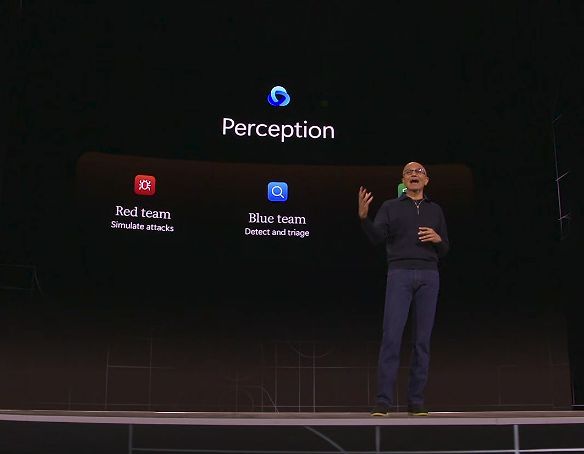
Yeah and the shitty company I work for will adopt this shit blind…
They haven’t taught Copilot how to use any of those things yet. Whenever I’ve tried asking it how to do something in Excel it gives me the wrong answer. It once even wrote something that used a function only available in Google Sheets.
In other news, there was another office 365 outage again.
737 MAX is back. Thank you.
Doesn’t affect me, I don’t use windows anymore. Let them ruin it all they want 😌
This sounds remarkably like making Internet Explorer the windows shell. Integrate a feature so deeply that it cannot be avoided.
It was really nice when anti trust laws were enforced.
i was thinking of jumping to windows 11 ltsc then this shit happens

oh well, windows 10 ESU is always an option
Linux
dont lecture me on that (6-year linux user here) but some games are too fickle on Wine and DKMS
Words don’t mean anything anymore. Yet another common point between fascism and corporatism.
Hahahahaha! No, I’d like my stuff to be predictable, safe and understood so I can work with it in the future.
I don’t spend a ton of time in windows these days, but when I do go back their ux is an absolute disaster. That’s not to say that mac and Linux are good out of the box, but at least their ux is cohearant. That’s not at all the case with windows (see: the right click menu, basically every settings related ui, the OneDrive bastardization of things like your local desktop, etc).
Sadly, since this is office it won’t be limited to windows. I wonder if this is going to accelerate the move to alternatives? It seems like Google workspace is starting to make inroads in the corporate world and a decent number of governments are moving to OSS alternatives.
Yea I’m kinda stuck with Windows right now and I have a third party file explorer just to make day to day work bearable. Same for the image viewer, I mean none of the builtin basics are seaworthy. And that’s not to mention to 3 (!) competing but subtly different ways to access the system settings, the random loss of window decorations, the system time that desyncs on every reboot (!!!)…
What file explorer do you use?
Honestly, mac isn’t much better with regard to their built in stuff. Their UX is consistent, but that does not make it good.
I have:
- an alternative to finder
- a windows snapping utility that actually works and has sane hotkey support
- a mouse wheel reverser because of course you don’t want to set the wheel and track pad to scroll differently
Mac is also very simple… Until it’s not. Windows hotkey have sane combinations like win + l for lock screen, win + shift + s for screen snot, etc. On a Mac the lock screen is control + command + q, not to get confused with shift + command + q which logs you out. Want to take a screen shot? Better remember if you should use shift + command + 3, shift command 4, shift command 4 space, or shift command 5.
Lord help you if you have two windows of the same application, you gotta right click it in the ribbon and remember the thing in the title bar to bring the correct window to the foreground.
Lock screen is always the top right ‘Touch ID’ button on your keyboard, press it and it’ll lock the Mac. Switching windows can be a bitch, on Intl keyboards, it’s cmd-`(~), but ctrl-tab can be configured in the Settings menu.
I’m fluent with both Windows and Mac and while Windows is ‘logical’ the Mac is actually more intuitive.
Lock screen is always the top right ‘Touch ID’ button on your keyboard, press it and it’ll lock the Mac
TIL, thanks!
Switching windows can be a bitch,
Massive understatement. macOS window management is fine… until you want to use more than window per app and manage a screen layout with only say one window per app in the foreground.
I’m fluent with both Windows and Mac
I would say that I am generally fluent on both too.
and while Windows is ‘logical’ the Mac is actually more intuitive.
I’ve been using macs long enough to remember things like:
- to eject a floppy drive you must drag and drop it to the trash can or click on the disc on your desktop or use the special menu to eject it. Despite there being a button that looked like an eject button, it didn’t do anything
- dragging and dropping files from removable media to your desktop didn’t actually copy anything. It made shortcuts. With no shortcut indicator. That would disappear when you removed the media
I’m not sure that those are necessarily intuitive.
I characterize Apple’s UX philosophy as intentionally simple1, but opinionated. This is potentially fine at first, but can be restrictive.
1 let’s not talk about gestures or hot keys
Oh look, something I didn’t ask for or wanted… and I still don’t.
bunch of misused words
Couldn’t be happier with Ubuntu and if I need to run a program that it can’t run, I’ll live boot a different OS. If those programs can’t run on the Linux distros, then I’ll install a version of windows to a flash drive using a partition manager so I can live boot windows (yes I’ve done it, it’s doable) and not hard install MircroslopOS.
Flatpak? Amazon lens? Ubuntu Pro? I’ve literally seen Ubuntu turn bad
Okay but it’s still better than Microsoft and to me it’s cozy. Again. I’ll switch to Mint when I feel like I’m bored of it. I just like that it’s pretty much the linux version of microsoft in the way that it just updates all the shit for you and you don’t need to worry as much.
I’ve only just switched back to linux this year after a 18 year break from linux. 😅 I went back to Ubuntu at the beginning of the summer and never went back.
Mint is my first (technically second if you count my raspberry pis) foray into linux and i have never looked back. There are some aspects where i am a n00b and need to learn more but i am getting to grips with the more complex stuff. Its an easy transition from microslop as it is familiar, and the software manager is very useful (until it isnt)
But its all working as i need it to and i just run a windows VM when i need that. Or wine when i dont.
“Lets pipe all our confidential data into a black box that we have no idea what it really does with it and where it puts it and whether any of it remains accurate or a hallucinated mess” -Award Winning CTO
That was the case before Copilot was developed.
MS SlopOS
Microslop
Windows, the world’s first sloperating system